

Error login saat mencoba untuk login ke laman Shutterstock kontributor bikin error pengguna juga ya pastinya. Yang tadinya udah semangat mau upload beberapa stok gambar jadi sementara mesti terhenti dulu karena tidak bisa login.
Do you have any idea of that matters, guys ?
Yeah, I have some idea of that matters after I got the issues since last night. And I couldn’t access my Shutterstock Contributor page until this afternoon. Then I try to send email to the support team of shutterstock at submit@shutterstock.com. They suggest me some solution to solve.
- Clearing cache and cookies, then try to open the shutterstock contributor site using different browser.
- Using VPN as a temporary measure
- Switch off the wifi and try to connect again after a while
The first step I already took, and I still a problem with that. But for the number 2, I didn’t try it. So, I try the 3rd method (turn off the router and unplug the wire) for a while. After a while, I turn on back the router and I check at my computer. AND…
YES, finally I got my Shutterstock contributor login. Thank you for the best solution and answer from Shutterstock support team.
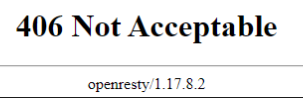
Tetiba, semalem ketika lagi semangat untuk upload beberapa gambar ke shutterstock nih, ehhh langsung deh surah cinta muncul 406 NOT ACCEPTABLE. Coba berbagai macam cara untuk clear cache/cookies, restart komputer, mematikan wifi komputer. Eh tetep aja tidak bisa di akses. Sempet coba untuk login dari HP juga sih (login) dari browser bukan yg dari aplikasinya ya. Dan hasilnya masih sama. Akhirnya tadi siang coba kirim email ke support team nya shutterstock dan mereka memberikan beberapa alternatif solusi seperti diatas.
Eh tapi tadi sempet coba juga cari referensi dari http://www.google.com dan Alhamdulillah dapat pencerahan dari https://lensanasrul.com/memperbaiki-erorr-406-not-acceptable-di-shutterstock/
Nah, sebenarnya apa penyebab pesan error itu muncul ?
Dari beberapa referensi yang saya baca
Error 406 Not Acceptable adalah pesan error yang biasanya terjadi karena header server dan pengaturan daro mod security. Untuk penjelasan lebih lanjut tentang materi itu bisa langsung meluncur kesini ya https://www.dewaweb.com/blog/error-406-not-acceptable-apa-maksudnya-dan-bagaimana-cara-mengatasinya/ Karena saya sendiri masih awam dan perlu belajar lagi mengulang materi masa-masa kuliah.
Nah, cara mengatasi permasalahan ERROR 406 ini versi Defatha, Langsung matikan router wifi aja, cabut semua kabelnya. Karena tadi pagi ketika hanya pencet tombol OFF pada routernya ngga ngaruh euy, tetep aja masih ngga bisa login. Jadi tadi di copot aja kabelnya, tunggu beberapa menit. Terus coba dinyalakan kembali. Alhamdulillah langsung bisa login.
Oh iya, kami menggunakan provider dari Telkom Indihome ya dengan IP Dinamis. Jadi ketika router dimatikan otomatis kami akan mendapatkan alamat IP yang baru. Sehingga bisa mengakses laman Shutterstock contributor lagi.
Begitulah ceritanya….
Yuk, semangat jual foto / gambar hasil kreasi kalian ke shutterstock. Cara mudah cari cuan dari shutterstock